What Are Rage Clicks? How to Find and Fix Them
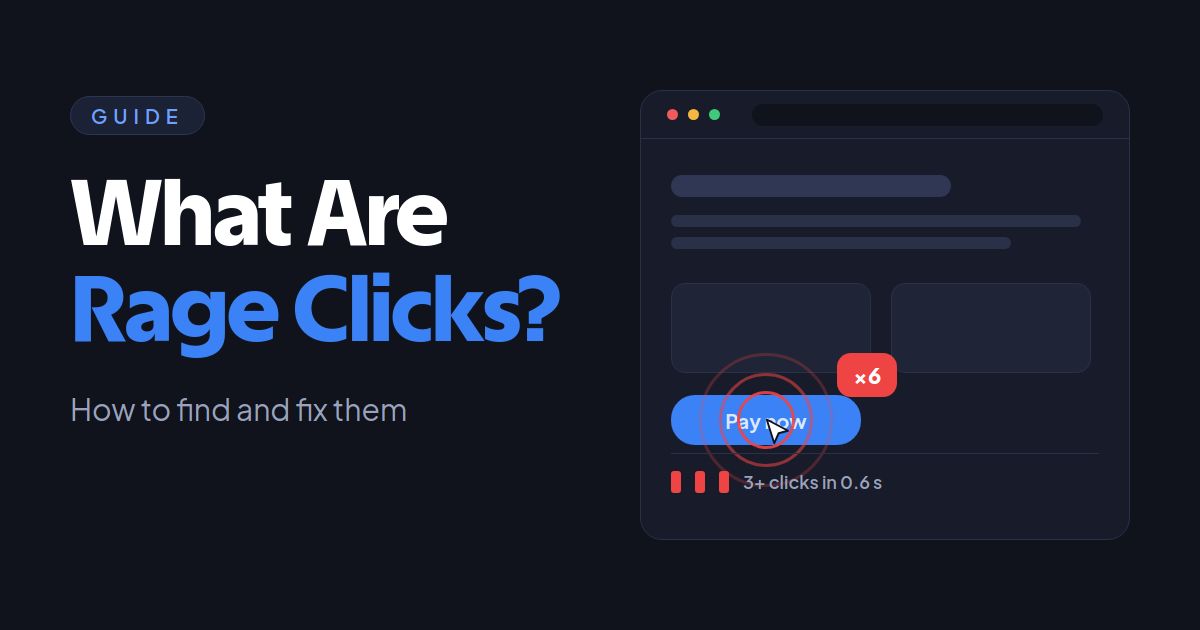
Every website has a moment where a visitor clicks a button, nothing happens, and they click it again. And again. And again, faster each time. That burst of clicks is a rage click, and it is one of the clearest signs that something on the page is broken or confusing.
A rage click is a rapid series of clicks on the same spot, usually because the visitor expected something to happen and it didn't. Unlike most analytics metrics, rage clicks point to a specific element on a specific page, so they tell you not just that visitors are frustrated, but where.
This guide explains what counts as a rage click, the most common causes, how to find rage clicks on your own site and how to fix them.
What is a rage click?
A rage click happens when a visitor clicks or taps the same element several times in quick succession. Most analytics tools detect it with a simple rule: a minimum number of clicks within a short time window, all in roughly the same place.
In Strabber, for example, a rage click is three or more clicks within 0.6 seconds. Nobody clicks that fast by accident. It usually means one of two things:
- The element did not respond. The visitor clicked, saw no change and assumed the click did not register.
- The element responded too slowly. Something was happening in the background, but the page gave no feedback, so the visitor kept clicking.
Either way, the visitor is now annoyed, and a share of them will leave instead of trying a fourth time.
Why rage clicks matter
Rage clicks are worth tracking for three reasons.
- They show up where money is lost. Rage clicks cluster on the elements visitors care about most: "Add to cart", "Pay", "Sign up", "Next", coupon fields and menus. A broken secondary link rarely gets rage clicks. A broken checkout button does.
- They find bugs your monitoring misses. A button whose click handler fails silently throws no server error and may not even log a JavaScript error. The only trace it leaves is visitors clicking it over and over.
- They are specific. "Conversion rate dropped 8%" gives you nothing to fix. "40 visitors rage clicked the shipping options on mobile this week" gives you an element, a page and a device.
Common causes of rage clicks
Buttons and links that don't work
The most serious cause. A JavaScript error, a failed API request or a handler attached to the wrong element means the click goes nowhere. These usually affect every visitor on a particular browser or device, so they are worth fixing first.
Slow responses with no feedback
The button does work, but the action takes two or three seconds and nothing on the page changes in the meantime. Visitors read the silence as "it didn't work" and click again. On forms this can also cause duplicate submissions.
Elements that look clickable but aren't
Product images that don't open a gallery, underlined text that isn't a link, icons, cards where only the title is clickable, and prices or badges styled like buttons. Visitors click, nothing happens, and they try again, harder. When this happens with a single click and no repeat, it shows up as a dead click instead. See Dead clicks: what they are and how to fix them.
Elements covered by something else
A cookie banner, chat widget, sticky header or invisible overlay sits on top of the button the visitor is aiming for. The click lands on the overlay, not the button. This is especially common on small screens, where floating elements take up a larger share of the viewport.
Forms that fail silently
A visitor presses "Continue", but a field somewhere off-screen has a validation error and nothing scrolls to it or explains it. From the visitor's point of view the button is broken.
Tiny tap targets on mobile
Small links and icons next to each other make visitors miss, tap again, and tap again. The page did respond, just not to the element they wanted.
Slow-loading content
A visitor clicks a carousel arrow, a "Load more" button or a tab before the content behind it has loaded, and keeps clicking while waiting.
Rage clicks, dead clicks and error clicks
These three terms are often used together. They overlap, but they describe different things.
| Signal | What happens | What it usually means |
|---|---|---|
| Rage click | Several fast clicks on the same spot | The visitor is frustrated: something is broken, slow or misleading |
| Dead click | One click on something that looks clickable, and nothing happens | The element looks interactive but isn't, or it is broken |
| Error click | A click followed by a JavaScript error | The click triggered a bug in your code |
A single problem often produces all three. A broken "Apply coupon" button might throw an error on the first click (error click), show no change (dead click) and then get clicked five more times (rage click). Looking at the three together gives a much more complete picture than any one of them.
How to find rage clicks on your website
Use session replay to watch what happened
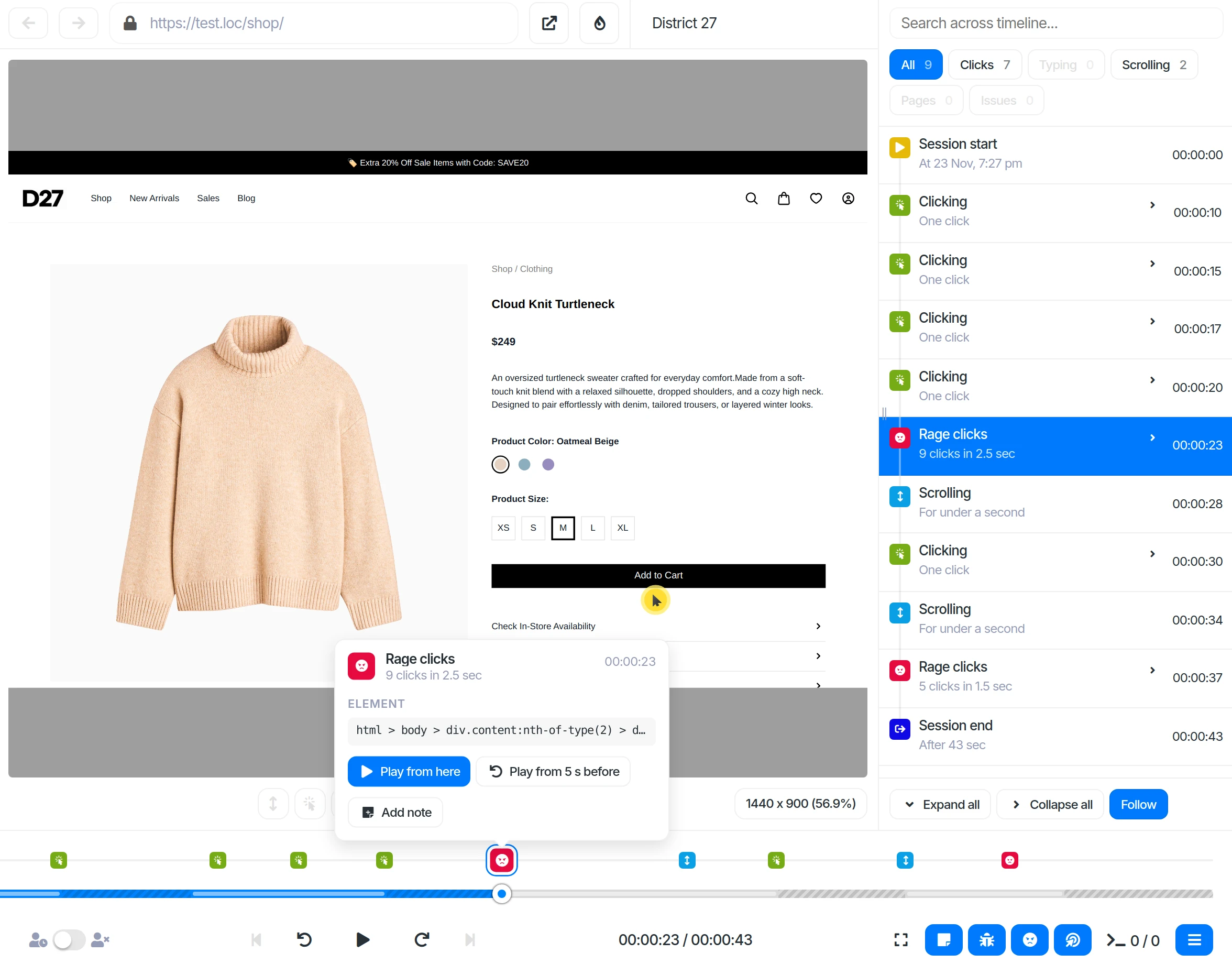
Rage click counts tell you where frustration happens. Session replay shows you why. Watching the few seconds before a rage click usually explains it immediately: a spinner that never stops, a banner covering the button, an error in the console.
In Strabber, rage clicks appear as markers on the replay timeline, next to console errors and script errors, so you can jump straight to the moment and see the console at the same time. You can also filter recordings by the number of rage clicks, or show only sessions with a high frustration score.
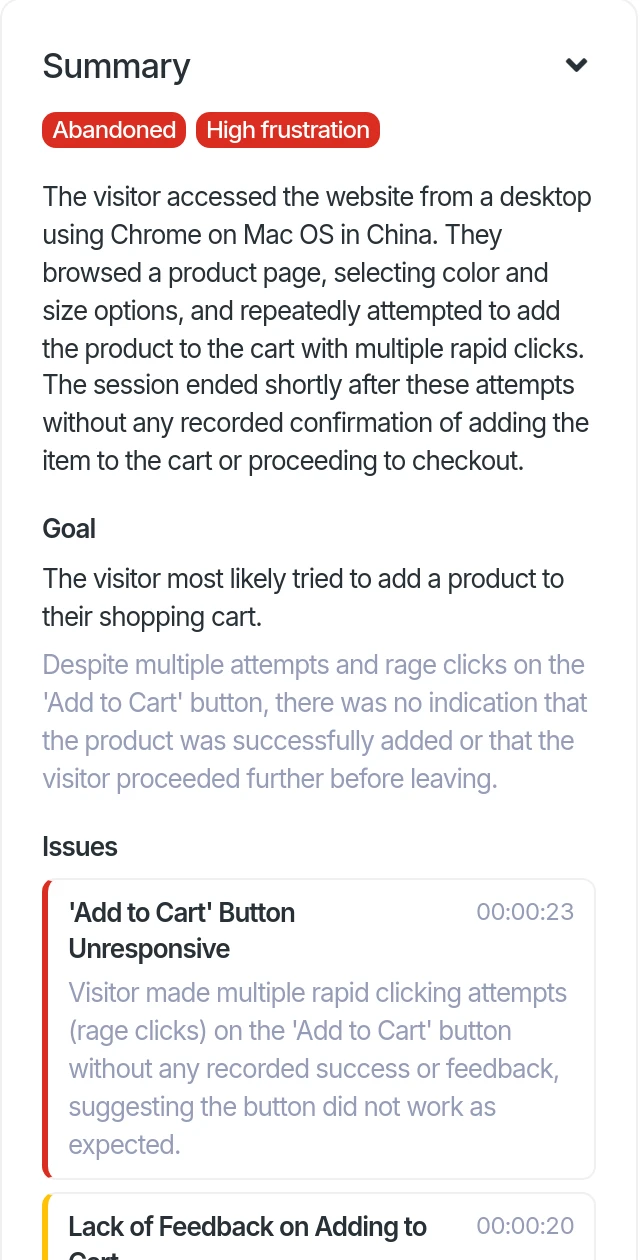
The AI summary of the same session spells out what went wrong, so you don't have to watch every recording to the end:
Use heatmaps to find which elements get rage clicked
A click heatmap shows how many clicks each element got. When it also counts rage clicks per element, it becomes a ranked list of the most frustrating elements on a page. Strabber's click heatmaps show the number of rage clicks when you hover over an element, and list them for each clicked element.
Look at a frustration score, not just raw counts
One rage click in a 20-minute session is noise. Five rage clicks, two errors and a quick exit is a problem. A combined score helps you focus on the sessions that matter. Strabber gives every recording and every page a frustration score from 0 to 10 based on rage clicks, dead clicks, U-turns and errors, with rage clicks weighing the most.
Segment by device, browser and page
Once you have found a rage-clicked element, check whether the problem is universal or limited to one segment. A button that only gets rage clicks on Safari or on small screens points to a very different fix than one that gets them everywhere.
How to fix rage clicks
Match the fix to the cause you saw in the recordings.
- Broken element: reproduce it with the console from the recording, fix the error and confirm in new recordings that the rage clicks stop.
- Slow response: show feedback right away. Disable the button and show a spinner or "Adding…" label the moment it is clicked, then make the action itself faster where you can.
- Looks clickable but isn't: either make it work (open the image in a gallery, make the whole card a link) or change the styling so it stops looking interactive.
- Covered element: move or shrink the overlay, especially on mobile, and check stacking order (z-index) for sticky headers and widgets.
- Silent form errors: scroll to the first invalid field, highlight it and explain what is wrong next to the field.
- Small tap targets: make touch targets larger and add space between neighboring links.
After the fix, compare rage clicks on that element before and after. If they don't drop, the cause was something else and the recordings will show you what.
When rage clicks are not a problem
Not every burst of clicks is frustration. Exclude or deprioritize these:
- Quantity steppers and counters, where clicking "+" several times quickly is the intended use.
- Games, sliders and interactive demos that are built to be clicked repeatedly.
- Triple-clicking to select text, which some visitors do to copy a paragraph or an order number.
If an element gets rage clicks but visitors carry on and convert normally, it is probably one of these.
Frequently asked questions
What is a rage click?
A rage click is a rapid series of clicks on the same element or spot, usually three or more within a fraction of a second. It shows that a visitor expected something to happen and it didn't, or it happened too slowly.
What causes rage clicks?
The most common causes are buttons or links that don't work, slow actions with no visual feedback, elements that look clickable but aren't, overlays covering the intended target, forms that fail without explaining why, and tap targets that are too small on mobile.
Are rage clicks bad for SEO?
Not directly. Search engines don't see rage clicks. But the problems behind them, such as broken buttons and slow pages, increase bounces and lower conversions, and slow interactions can also hurt Core Web Vitals.
What is the difference between a rage click and a dead click?
A dead click is a single click on something that looks clickable where nothing happens. A rage click is several fast clicks in the same place. Dead clicks often turn into rage clicks when the visitor tries again.
How do I track rage clicks?
Add a session replay or heatmap tool that detects them automatically. With Strabber, rage clicks are detected out of the box once the tracking script is installed. You can filter recordings by them, see them on the replay timeline and count them per element on click heatmaps.
Start finding rage clicks today
Rage clicks are one of the fastest ways to find the problems that cost you conversions, because each one points to an element you can fix. Install Strabber's session replay, let it collect a few days of traffic, then sort by frustration and watch the top sessions. Most teams find at least one broken or misleading element in the first hour.